
Muse & AI · 🎨 AI images & effects
How to Turn a Drawing into a Dessert with YouTube AI
About 1 minute · Checked November 2026
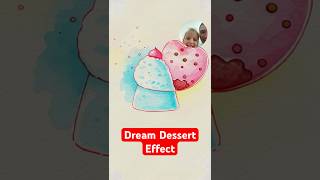
To turn a drawing into a Dream Dessert in YouTube Shorts, tap the plus to make a Short, tap Effects, then AI, and pick Dream Dessert. Tap the check mark, draw a few scribbles, and tap the red button.
Want more quick fixes like this? Subscribe on YouTube.
Subscribe on YouTubeStep-by-step checklist
Check off each step as you go. We'll remember your place on this device.
Thanks for letting us know. We're so glad it helped.
Ask your question in the YouTube comments. Someone there may have the fix too. Ask in the comments →
Frequently asked questions
Where is Dream Dessert on YouTube?
In the YouTube Shorts camera, under Effects, then AI.
Do I have to draw well?
No. A few simple lines work.
Fruitful
Every Saturday morning: one thing we've tried and trust, plus the week's Faith by Fire.
Free. One email every Saturday. Unsubscribe anytime.
More like this
 Draw a Cupcake with YouTube Shorts Generative Effects
 Turn Your Drawing into Dream Dragon (YouTube Shorts Generative Effect)
 Build a Unicorn with New YouTube Shorts Generative Effects
Related searches
Read the transcript
Auto-generated transcript. It may contain mistakes.
Here's how to convert your drawing into a dream dessert like this. First, in the YouTube app, tap the plus button. Hi. You're going to go to this effects icon right here. You're going to tap on AI. Scroll down to where you see dream dessert. Go ahead and tap that. Press the check mark button. Then once you're here, you're just simply going to draw your dream dessert, whatever you want with your scribbles. And then in the bottom righthand corner, hit the Gemini icon. It's going to convert it in three, two, one, and blue. Oh my goodness, that is a beautiful dessert.

We're Justin and Megan. Along with the how-tos, we share a few minutes of faith every day from the season we're walking through right now.
New here? Catch up on the story →
Comments
Everyone who visits this page can see what you post. Comment guidelines