
Find the NEW YouTube Kids on Your TV in 19 Seconds!
July 29, 2025 · 19 sec
Is the YouTube Kids app disappearing from your TV? Don't worry! Here's the quick and easy way to access the new YouTube Kids experience right inside the main YouTube app. Keep your little ones entertained safely without missing a beat. Try it out, and don't forget to 👉 Subscribe for more helpful tech tips!
How to find YouTube Kids in the new YouTube app:
1. On your TV, open the main YouTube app.
2. Navigate to your Profiles (usually on the top left).
3. Select your existing Kids Profile.
4. If you don't have one, just select "Add a new YouTube Kids profile."
5. That's it! You're in the new home for YouTube Kids.
6. Subscribe for more quick tips like this!
More like this
 How to Remove Closet Wire Shelves (in 43 Seconds)
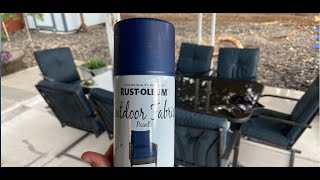 Painting My Patio Cushions | Product Review Rust-Oleum Outdoor Fabric Paint
 How to Clean a Fence (18 seconds)
If this was helpful, subscribe on YouTube. It's free.
Subscribe on YouTubeRead the transcript
Auto-generated transcript. It may contain mistakes.
The YouTube Kids app is going away on your TV, but there's a new way to access it. Go back to the home menu. Once you're there, go to YouTube. You'll see when you get in, kids profiles were added. Then you'll see profiles on the top left. Go ahead and tap on yours. Then you can see your kids profile. If you don't see it, you can go to add a new YouTube Kids profile there. Tap on it. And here's the home of the new YouTube kits.